
Buying a Used Vector Network Analyzer: 10 Checks Before You Pay
A vector network analyzer (VNA) is a precision instrument. Its accuracy depends on the condition of its test ports, the options installed, and both its periodic instrument calibration and the user calibration you perform with a cal kit. A generic used-equipment checklist (does it power on, does it look clean, is there a warranty) does not cover these points.
This guide lists the VNA-specific checks to run before you buy a used Keysight PNA or ENA, Rohde & Schwarz ZNB or ZVA, or similar analyzer. Each check includes what to ask the seller. If you are still choosing a family, read Keysight PNA vs ENA vs R&S ZNB/ZNA: Choosing the Right VNA first, or our What Is a Vector Network Analyzer (VNA)? explainer.
Before you shop: lock your requirements
Write down your frequency range, port count, connector type, dynamic range and required options before you look at listings. The same model number can be sold in many configurations, and most VNA capabilities are set by options.
- Frequency range: the highest and lowest frequency you need, with margin.
- Ports: two ports for most components; four ports for differential or balanced devices and multiport parts.
- Connector type: Type-N, 3.5 mm, 2.92 mm, 2.4 mm or 1.85 mm. The connector sets your cable, adapter and cal kit costs.
- Dynamic range: important for filters with deep rejection and for high-isolation measurements.
- Options: time-domain analysis, internal bias tees, frequency offset (for mixers and converters), extended power range, pulsed measurements, fixture de-embedding.
Also decide how the analyzer will be used: manual bench work, an automated production station or a test system controlled over LAN. Automated use makes the SCPI command set, driver support and operating system more important, and may favor staying with the brand and family your existing test code already supports.
The 10 checks
1. Model, frequency suffix and port count
Confirm the full model number and the option codes, because on many VNAs these define frequency range and port count. For example, on the Keysight E5071C the option code sets ports and frequency: option 240/245 (2-port, 4.5 GHz), 280/285 (2-port, 8.5 GHz), 440/445 (4-port, 4.5 GHz) and 480/485 (4-port, 8.5 GHz), where the “5” variants add bias tees.
Ask the seller for: a photo of the rear-panel label with serial number, and the full option list.
2. Installed software options
VNA options are often licenses tied to the serial number. Check them on the instrument’s own option or license screen, not only in the listing. On Keysight VNAs this is usually under Help > About Network Analyzer; on R&S VNAs it is in the instrument setup or system information dialog.
Ask the seller for: a screenshot of the installed options or license screen.
3. Test-port connectors
The test ports are the most important physical part of a VNA. Damaged or worn connectors cause poor repeatability and can damage your cables, adapters and cal kit. Check for bent or recessed center pins, scratched mating surfaces, worn threads and debris. Precision connectors should be checked with a connector gauge for pin depth. Never mate an SMA connector with a 2.4 mm or 1.85 mm connector; they look similar but are not compatible, and the mismatch can cause damage. Many users fit test-port adapters (connector savers) to protect the ports.
Ask the seller for: close-up photos of each test port, and pin-depth gauge readings if available.
4. Self-test and power-on errors
Ask for the result of the analyzer’s built-in self-test and a screenshot after warm-up with no error messages. Hardware faults such as a failed source, receiver or synthesizer often show up here.
Ask the seller for: a self-test screenshot and a photo of the screen after power-on.
5. Quick performance check
A working display does not prove a working analyzer. A simple performance check confirms that the ports and receivers are healthy:
- Perform a full two-port (or N-port) user calibration with a suitable cal kit or ECal.
- Measure a thru connection: S21 should be close to 0 dB and S11 should show good match across the band.
- Measure a known cable or a device with known S-parameters, and compare against previous data.
- Look at trace noise on a thru at your normal IF bandwidth; excessive noise can indicate receiver problems.
- Optionally, measure a verification kit device for a more formal check.
Ask the seller for: a screenshot of a calibrated thru measurement, or a test report.
6. Source power and receiver sanity
Check that the analyzer reaches its rated source power across the band without “unleveled” messages, and that the receivers show no “overload” warnings at normal power levels. Unleveled source warnings can indicate source or ALC problems.
Ask the seller for: confirmation that no unleveled or overload messages appear across the full frequency range at the default power level.
7. Operating system and firmware
Many VNAs run an embedded Windows operating system. Older PNA and ENA units may run versions such as Windows XP or Windows 7, which are no longer supported by Microsoft. This affects network security, your IT policy for connecting the analyzer to the company network, and which firmware versions and drivers you can install. Check whether the manufacturer still offers firmware for the model, and whether an OS upgrade path exists.
Ask the seller for: the OS version and firmware version.
8. Calibration status and certificate content
Periodic instrument calibration verifies the analyzer’s performance against its specifications. A useful certificate states the calibration date, laboratory, traceability to national standards, measured results (as-found and as-left), measurement uncertainty, and the model and serial number.
Ask the seller for: the latest calibration certificate or test report.
9. Cal kit or ECal included, and connector match
You need a calibration kit or electronic calibration (ECal) module with the same connector type as your test setup. ECal modules are convenient and fast, but must be supported by the analyzer and its firmware. Mechanical kits such as the Keysight 85052D (3.5 mm) need their definition loaded in the analyzer. Electronic modules in stock include the Keysight N4690D, N4691D and the four-port N4431D.

Keysight 85052D: representative image from the wnot.cn product page (the site labels it as not a photograph of the exact unit).
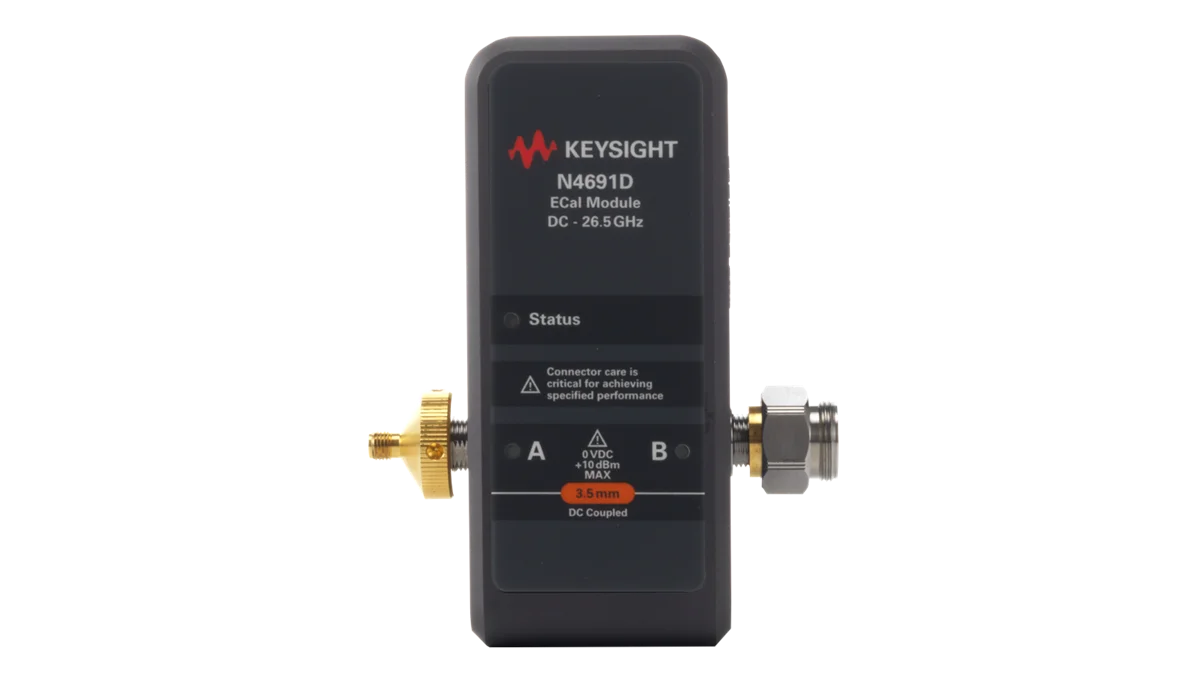
Keysight N4691D: representative image from the wnot.cn product page (the site labels it as not a photograph of the exact unit).
Ask the seller for: whether a cal kit or ECal is included, its model, connector type and calibration status.
10. Accessories, warranty, quality-issue policy and shipping
Benchtop VNAs are heavy and their front panels and ports are easily damaged in transit. Agree on packing, accessories and terms in writing before you pay.
Ask the seller for: a written list of included items (power cord, test-port cables, adapters, torque wrench, manuals or recovery media), warranty terms, the policy for quality issues found after delivery, and the packing method. TXRX pre-owned equipment comes with a 6-month warranty. There is no fixed return window: if an inspection confirms a product-quality issue, TXRX will repair or replace the unit. Returns for reasons other than product quality are not accepted.
Printable checklist table
| Check | Ask the seller for | Red flags |
|---|---|---|
| 1. Model and port/frequency options | Rear-panel label, option list | Option code doesn’t match the listing |
| 2. Installed software options | License screen screenshot | Options listed but not installed |
| 3. Test-port connectors | Close-up photos, gauge readings | Bent or recessed pins, scratched faces, worn threads |
| 4. Self-test | Self-test screenshot | Failures, error messages at power-on |
| 5. Performance check | Calibrated thru / cable measurement | Ripple, noise or loss on a thru |
| 6. Source and receivers | Confirmation across full band | “Unleveled” or “overload” messages |
| 7. OS and firmware | OS and firmware versions | Unsupported OS with no upgrade path, if your IT policy requires one |
| 8. Calibration | Certificate or test report | No data, no traceability |
| 9. Cal kit / ECal | Model, connector, cal status | Connector mismatch, no kit definition |
| 10. Accessories and terms | Item list, written terms | No written warranty or quality-issue policy; poor packing |
Used vs OEM-certified used vs refurbished: what you’re paying for
These terms are not standardized, so compare what is documented rather than the label.
- Used: sold as-is or after basic power-on testing.
- Refurbished: inspected, repaired where needed and functionally tested, sometimes calibrated.
- OEM-certified used: refurbished and certified by the original manufacturer, usually with calibration and a manufacturer warranty.
At TXRX Instrument, every instrument we sell is inspected and functionally verified by our engineers (per our Test Equipment Sales page). TXRX pre-owned equipment comes with a 6-month warranty. For pre-owned units, a calibration certificate or test report is available (as stated in your quotation). New equipment carries the manufacturer’s standard warranty as published by each brand and includes a factory calibration certificate. There is no fixed return window: if an inspection confirms a product-quality issue, TXRX will repair or replace the unit. Returns for reasons other than product quality are not accepted.
On-arrival acceptance procedure
Run and document an acceptance procedure as soon as the analyzer arrives:
- Inspect packaging, ports and accessories against the item list.
- Warm up the analyzer for the time specified in its datasheet, typically 30 to 90 minutes.
- Run self-test and record the result.
- Check options on the license screen against the quote.
- Calibrate with your cal kit or ECal at your usual settings.
- Verify with a thru, a known cable or a verification kit, and save the data.
- Check remote control over LAN or GPIB with your test software.
- Save results with the serial number and date, and report any problem to the seller promptly.
Browse our Network Analyzers, Calibration Accessories and RF Accessories categories for analyzers, kits, cables and adapters.
FAQ
Is it safe to buy a used VNA?
Yes, if you check the test-port connectors, confirm the installed options on the instrument’s own license screen, and get clear calibration documentation. Most problems with used VNAs come from damaged ports, missing options or unsupported software, all of which can be checked before purchase. Run an acceptance test as soon as the unit arrives and report any issue promptly.
Does a used VNA need calibration?
It needs two kinds. Instrument calibration is periodic, done by a calibration lab, and verifies the analyzer meets its specifications. User calibration is done by you with a cal kit or ECal before measurements, and removes the systematic errors of your cables and fixtures. A used analyzer needs a current instrument calibration and a fresh user calibration.
How do I check VNA test port connectors?
Inspect each port visually with magnification for bent, recessed or damaged center pins, scratches and debris. Measure pin depth with the correct connector gauge. Use a torque wrench when connecting, never mix incompatible connector types, and fit test-port adapters to protect the analyzer’s ports from wear.
Which used VNA models are most common?
Common used models include the Keysight ENA E5071C and E5080A, PNA models such as the N5222B and N5224A, and R&S models such as the ZNB20 and ZVA67. Their large installed base means spare parts, accessories and test code are widely available.
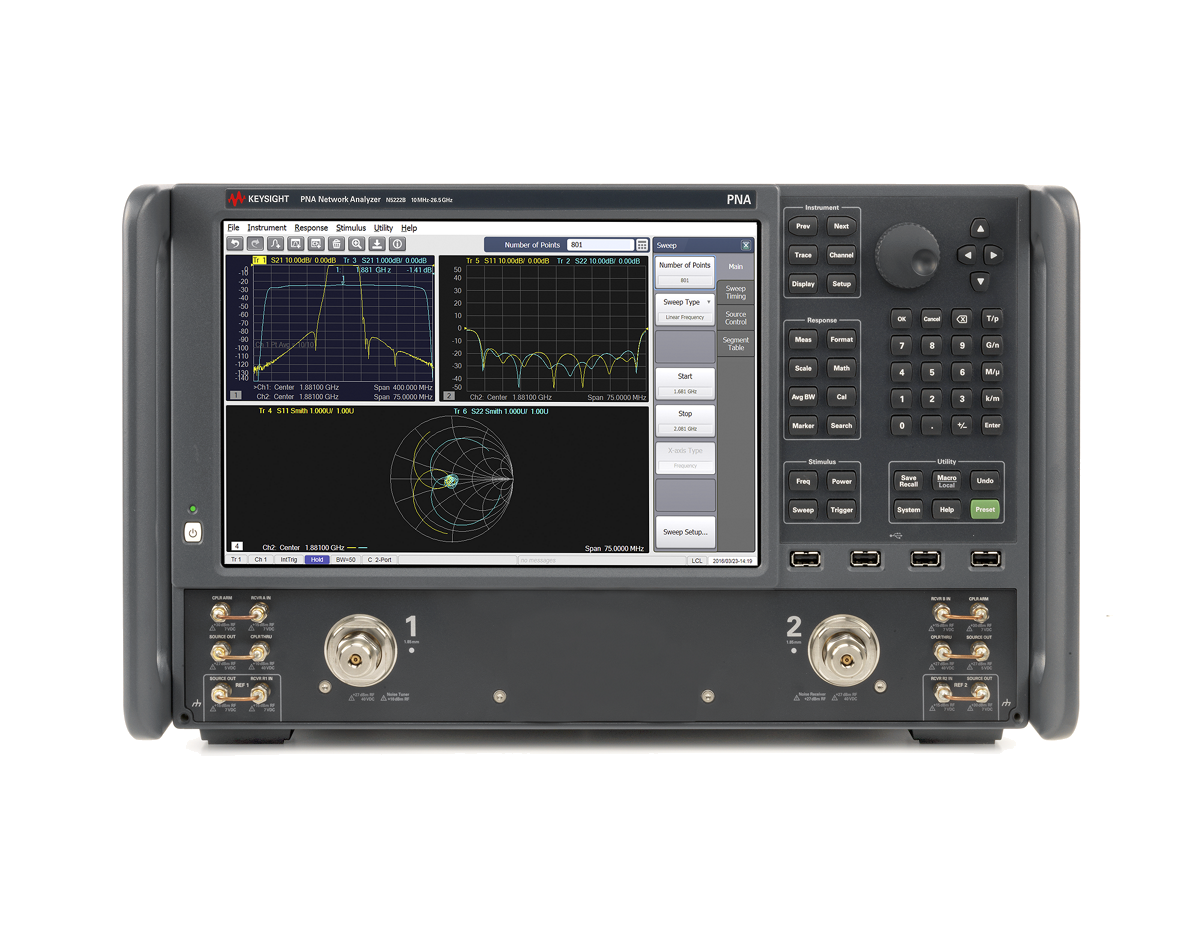
Keysight N5222B: representative image from the wnot.cn product page (the site labels it as not a photograph of the exact unit).
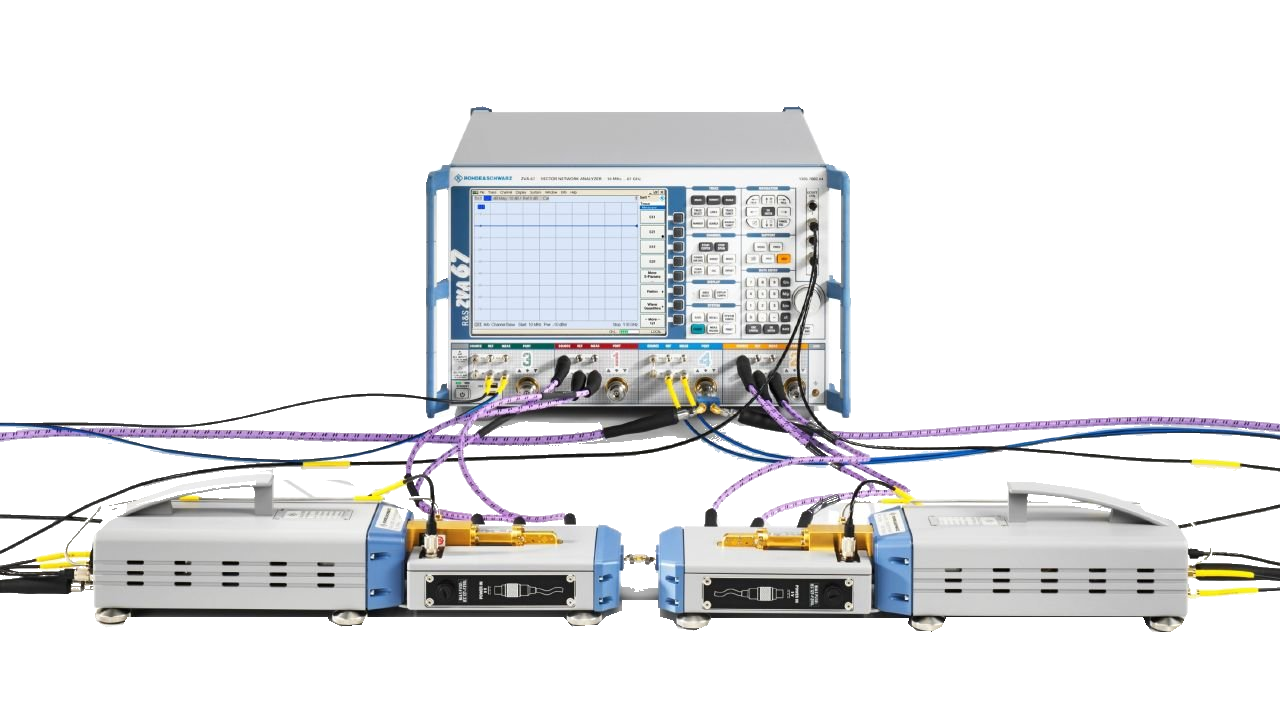
Rohde & Schwarz ZVA67: representative image from the wnot.cn product page (the site labels it as not a photograph of the exact unit).
What does an E5071C option code like 480 mean?
On the E5071C, the option code describes port count and frequency range. In option 480 the “4” means four ports and the “80” refers to the 8.5 GHz frequency range; a “5” in the last digit, as in 485, indicates bias tees. Always check the option list on the instrument itself.
Can I add options to a used VNA later?
Many software options can be added later as licenses bought from the manufacturer, tied to the instrument’s serial number. Hardware options such as port count, frequency range or bias tees often cannot be added economically, or at all. Buy a unit with the hardware configuration you need.
Found a VNA you like? Send us the model and required options. We’ll send option-screen photos before you buy, and your quotation will state whether a calibration certificate or test report is included.
Request a quote · Repair Services · Have a VNA you no longer use? See Asset Recovery.